Recipe Pinterest Pin Canva Templates: Your Key to More Traffic
Standing out on Pinterest in the food niche feels like a constant battle. You've spent hours perfecting a recipe, photographing it beautifully, and writing a helpful post. But when it gets to Pinterest, it's just another pin in a sea of thousands. The secret isn't always a better recipe—it's a better visual hook. This is where a strategic toolkit like Recipe Pinterest Pin Canva Templates becomes an indispensable part of your content creation process. These are more than just pretty backgrounds; they are engineered design assets built to convert casual scrollers into engaged visitors.
Understanding the Anatomy of a High-Performing Pin
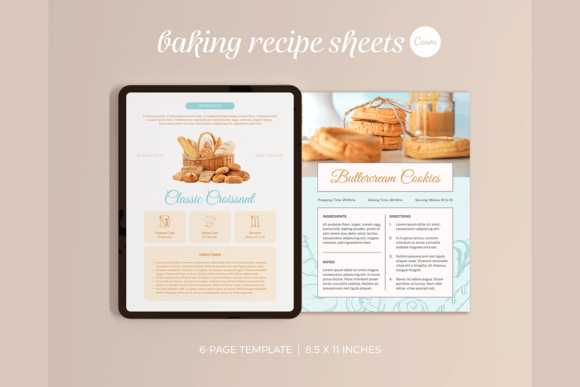
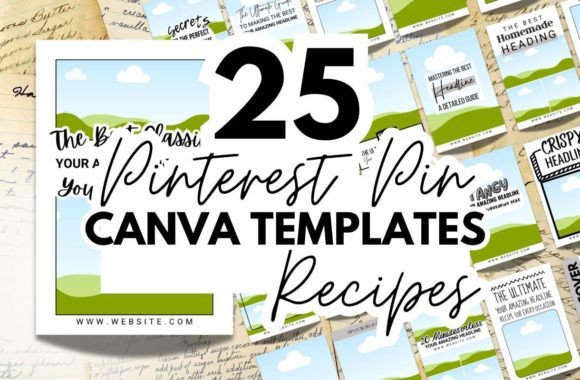
A successful Pinterest pin for food content has a specific visual personality. It needs to feel fresh, appetizing, and trustworthy. The style often leans into clean, modern typography paired with vibrant, high-contrast imagery. Think of a bold, clean sans serif font for the recipe title, ensuring immediate readability even on a small mobile screen. This might be paired with a subtle script font or handwritten font for a secondary line like "Easy Weeknight Dinner," adding a touch of personal, homemade charm. This combination creates a clear visual hierarchy, guiding the viewer's eye from the striking image to the promise of the recipe, and finally to a call to action.
The overall appeal is one of professional yet approachable curation. These templates provide a consistent framework, which is crucial for building a recognizable brand identity across your pins. When a user sees your pin in their feed, the consistent use of color palettes, font pairings, and layout structure helps them instantly recognize your content, building familiarity and trust over time. This consistency signals professionalism, making your blog or business appear more established and reliable.
Practical Applications: Where These Templates Shine
The true value of Recipe Pinterest Pin Canva Templates lies in their versatility. They are designed to solve real-world problems for a range of creators.
- For the Food Blogger: Your primary goal is driving traffic. Use these templates to create multiple pin variations for a single blog post. Experiment with different hero images, color overlays, and title treatments. A/B testing which pin design gets more clicks becomes a simple task of duplicating a template and tweaking a few elements, not designing from scratch every time.
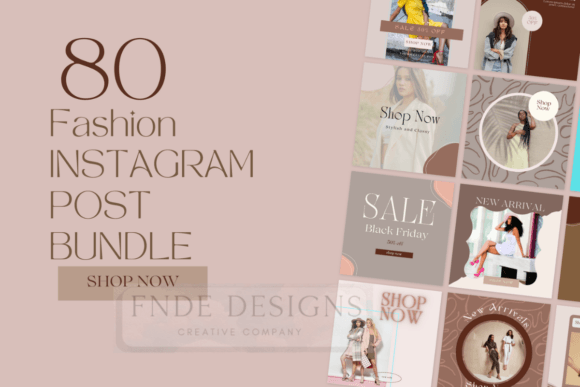
- For the Content Creator or Influencer: Consistency is key to brand recognition. These templates act as a style guide for your Pinterest presence. Whether you're sharing a recipe, a kitchen hack, or a grocery haul, you can maintain a cohesive aesthetic that reinforces your personal brand. This is fundamental to effective social media graphics and overall brand identity.
- For the Small Business or Etsy Seller: Selling a digital recipe eBook, meal plan, or kitchen product? Your pins need to do more than look good—they need to sell. The pre-designed layouts in these templates are structured to highlight key benefits, showcase product mockups, and include clear calls-to-action, effectively turning your pin into a mini advertisement for your packaging design or digital product.
Imagine you're launching a new series of "30-Minute Meals." Instead of designing a new pin layout each week, you select a template from your Recipe Pinterest Pin Canva Templates kit. You swap out the photo, change the recipe title, and adjust the accent color to match the dish. In minutes, you have a professional, on-brand pin ready to schedule. This efficiency frees up your time to focus on what you do best: creating great content.
Choosing and Customizing for Maximum Impact
When evaluating a set of templates, look beyond the surface appeal. Consider the included styles and their practicality. A good kit will offer a variety of layouts—some image-forward, others text-heavy for recipe lists or tips. Check for the range of font pairings used. Do they offer a mix of a strong display font for headlines and a highly legible serif font or sans serif font for body text? This variety allows you to match the template's mood to your recipe's personality, whether it's a rustic sourdough or a vibrant smoothie bowl.
Customization in Canva is straightforward, but a few strategic tweaks can elevate your design. Always prioritize readability. If a template uses a fancy script font for the main title, consider changing it to a bold modern typography choice if the script is hard to read at a glance. Use the eyedropper tool to pull a color directly from your food photo for the text or background accents—this creates a harmonious, professional look. Don't be afraid to adjust the layout. If your photo is vertical, crop the template frame to fit. If you need more text space, resize elements. The goal is to use the template as a starting point, not a rigid constraint.
Finally, think about your broader design ecosystem. The fonts and color schemes you use in your Pinterest pins should feel connected to your web design, blog graphics, and even editorial design for any PDFs or printables you offer. This creates a seamless experience for your audience, strengthening your brand's visual language across every touchpoint. By strategically implementing these premium font and design-driven templates, you move from creating isolated pins to building a powerful, traffic-driving visual brand on Pinterest.